How to choose customer feedback tools that drive action
Choosing customer feedback tools can be overwhelming. This guide compares surveys, CX platforms, kiosks, and real-time microfeedback to help teams find the right solution for faster action and measurable operational impact.

Choosing customer feedback tools can feel like standing in front of a shelf full of products that all claim to solve the same problem.
One promises fast digital surveys. Another offers enterprise CX dashboards. Another gives you a feedback kiosk. Your current setup may feel familiar enough to keep for another year.
At first glance, they all help you collect more feedback, but collecting feedback is not the real job – turning customer, patient, employee, visitor, guest, or passenger feedback into action fast enough to improve the customer experience is.
That is where the buying decision gets harder. You are not just comparing features, you are weighing whether teams will actually use the solution, whether feedback will arrive while the issue still matters, whether frontline managers can understand what to do next, and whether the investment will create measurable operational impact.
The wrong choice can waste budget, create unused dashboards, slow teams down, or leave the same service issues repeating across your business.
The right choice helps your teams see what is happening, understand where to act, and improve the experience before small problems become bigger ones.
This guide helps you compare the main types of customer feedback tools, where each approach works well, where each can fall short, and when HappyOrNot and real-time microfeedback can be the strongest fit.
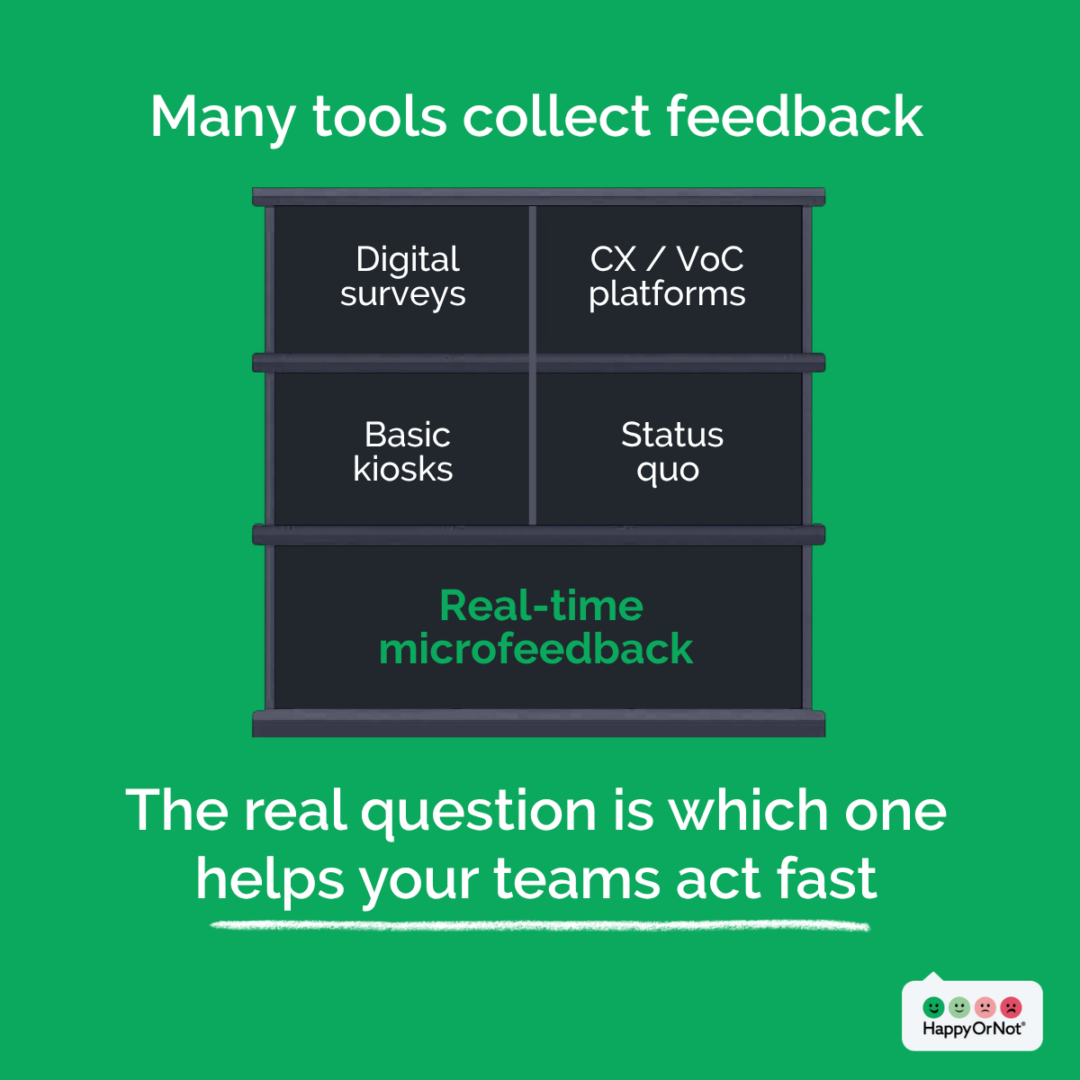
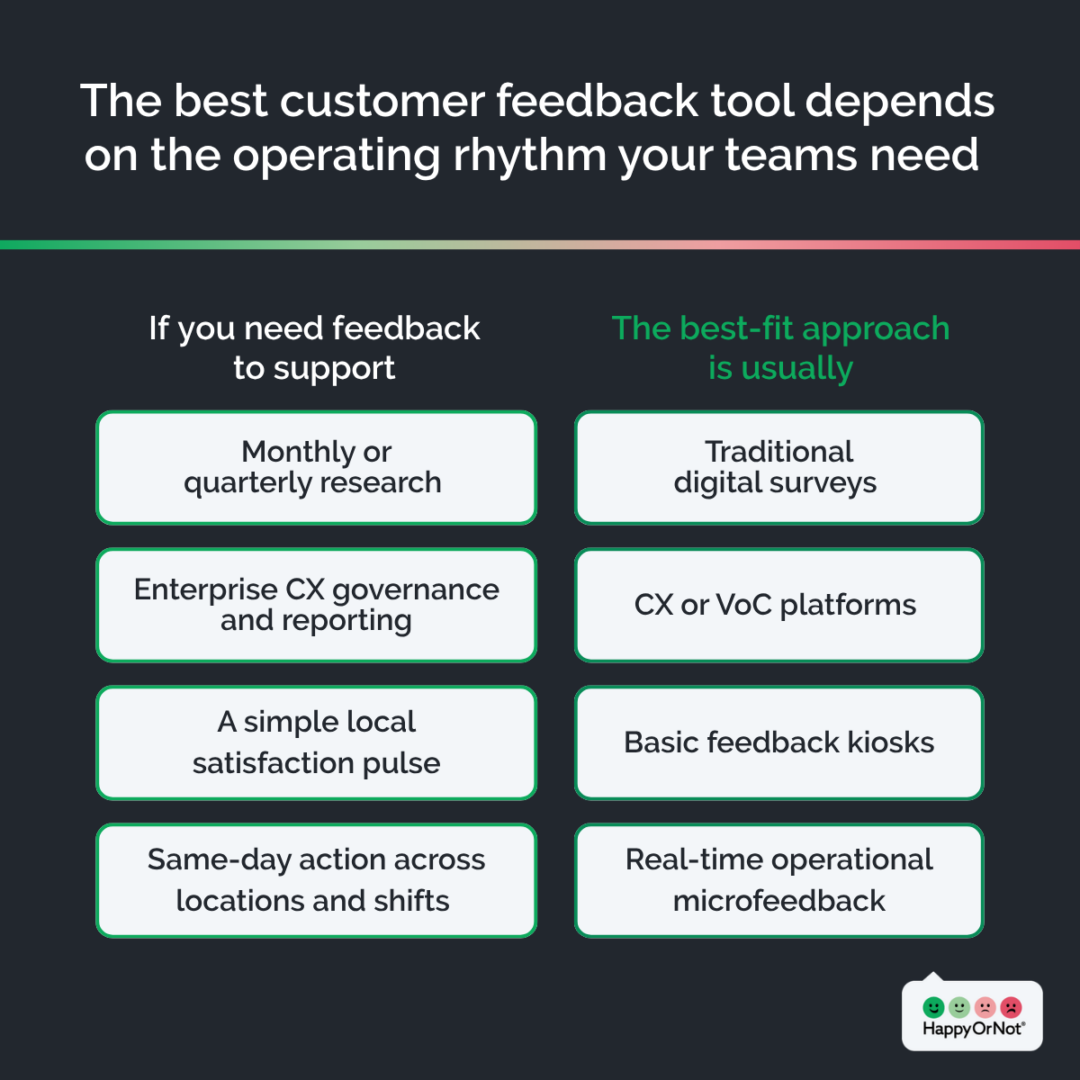
Start with the operating rhythm you need
For many organizations, the strongest setup is not one tool replacing everything else.
Surveys can provide depth. CX platforms can provide governance. Basic kiosks can provide a simple local pulse. Real-time microfeedback can provide the daily operating signal that helps frontline teams act while the experience is still fresh.
That is where HappyOrNot fits best: as the operational feedback layer that closes the gap between customer insight and same-day frontline action.
The best feedback tool is the one your teams can act on while the moment still matters.
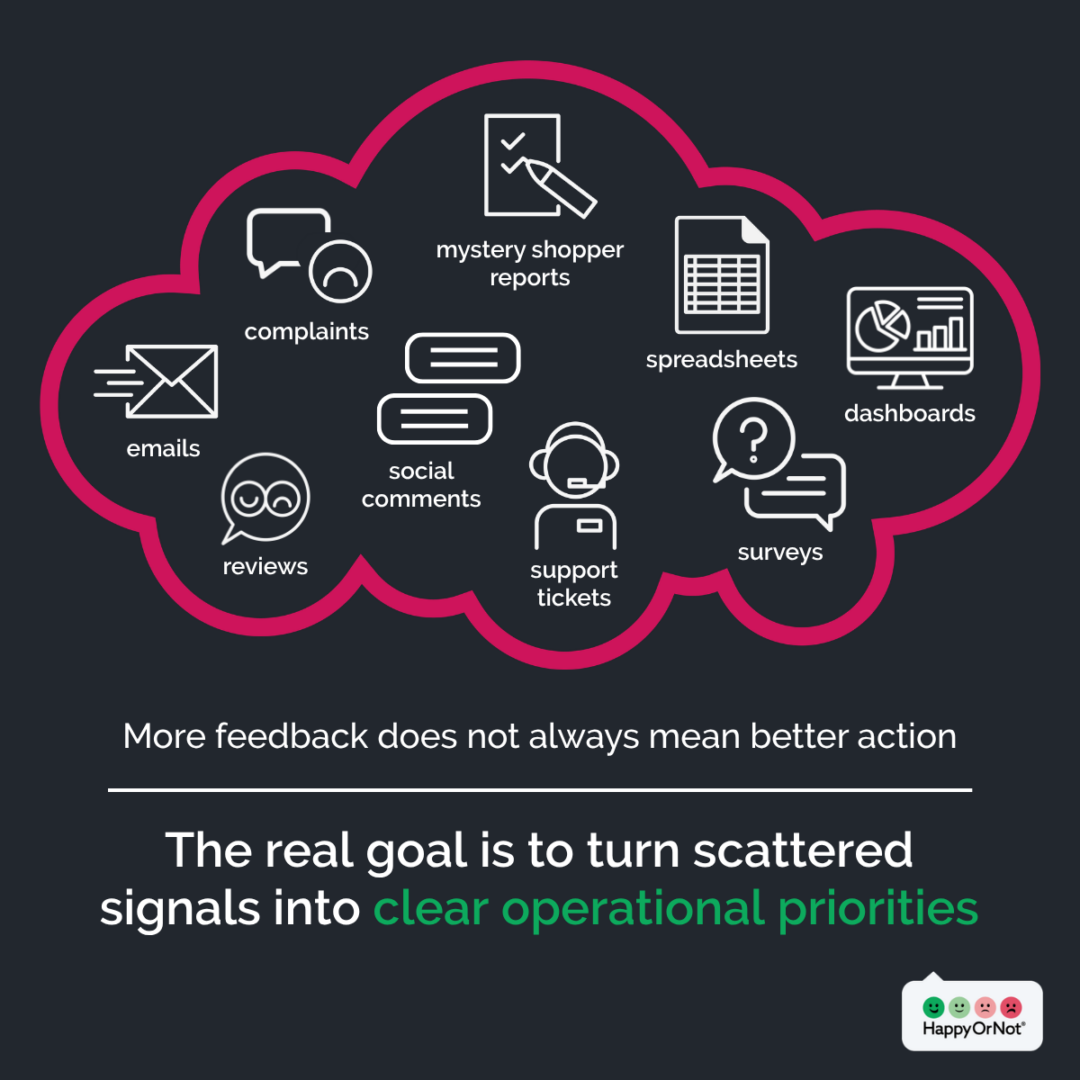
The real monster: feedback without action
Most organizations do not have a listening problem. They have an action problem.
Feedback is collected, but it often arrives too late, sits in dashboards, or stays disconnected from the teams that could fix the issue. Dashboards are useful, but dashboards do not fix a checkout queue. Reports do not restock a restroom. A monthly insight pack does not help a clinic team respond to a long wait this afternoon.
That is why the best customer feedback tool is not simply the one that collects the most data. It is the one that helps the right team understand what happened, where it happened, and what to do next while the moment still matters.
Use that lens when comparing your options.
Five common customer feedback approaches
There is no single best customer feedback tool for every organization. The right choice depends on the job you need feedback to do, the speed at which your teams operate, and how quickly feedback needs to become action.
1. Traditional digital surveys
Digital surveys include email surveys, SMS surveys, web forms, QR-only feedback, and longer digital questionnaires. They are familiar, flexible, and often useful when you already know who the customer is and have permission to contact them.
Best fit
Digital surveys are usually a good fit for:
- Deeper post-event research
- Known-customer follow-up
- Longer written answers
- Demographic or detailed segmentation questions
- Feedback after digital journeys
- Situations where feedback does not need to drive same-day action
Strengths
Traditional digital surveys can work well because they are:
- Familiar and widely understood: Most CX, marketing, and insights teams already know how to design, distribute, and report on them.
- Relatively easy to set up: Email, SMS, web, and QR-based surveys can usually be launched without physical installation.
- Useful for longer-form feedback: They can capture more detailed responses, open-text comments, and structured follow-up questions.
- Aligned to established CX metrics: They often support organization-level or board-level reporting around indexes such as NPS, CSAT, or CES.
- Helpful for known-customer journeys: They can connect feedback to customer profiles, transactions, loyalty records, or post-event follow-up.
Limitations
Digital surveys are often less effective when the goal is fast operational improvement.
Common limitations include:
- Delayed signal: Feedback often arrives after the moment has passed, making it harder for frontline teams to act quickly. Context can fade fast: a NASBA Registry article featuring Dr. Art Kohn notes that, on average, 50% of information is forgotten after one hour, 70% within 24 hours, and 90% within a week. For operations teams, that means delayed feedback may be less reliable and less connected to what actually happened in the moment.
- Reliance on first-party data and missing non-buyers: Digital surveys usually depend on an email address, phone number, booking record, transaction, loyalty ID, or other known-customer data. That means they can miss people who experienced the service but never entered your database, such as browsers who leave without buying, visitors accompanying patients, cash-paying guests, passengers who did not book the ticket, or customers who abandon a queue.
- Lower participation when surveys feel like work: Longer or repetitive surveys can reduce response rates and overrepresent people with strong motivation to respond, rather than capturing a broader operational signal from the full customer base.
- Weaker fit for same-day action: Digital surveys can support strategic research, but they may be too slow or too narrow for daily operational decisions by location, shift, or service point.
Key question to resolve: Will feedback arrive while the team can still act on it?
Related read: HappyOrNot instant feedback vs. email surveys: how do we compare?
2. CX and VoC platforms
Customer experience management platforms and voice of customer platforms help organizations manage CX programs at scale.
They often support journey analytics, governance, dashboards, reporting, CRM integrations, contact center data, case management, and enterprise-level CX reporting.
Best fit
CX and VoC platforms are usually a good fit for:
- Enterprise-wide CX governance
- Centralized reporting across customer journeys
- Journey mapping and trend analysis
- CRM, contact center, or case management integrations
- Executive dashboards
- Strategic CX program management
Strengths
CX and VoC platforms can work well when organizations need:
- A broad strategic view: They bring multiple data sources together and give leadership a consistent view of customer trends over time.
- Program governance: They help CX teams manage reporting, ownership, and cross-functional initiatives.
- Deeper journey insight: They can support journey analysis, case management, and strategic prioritization across complex customer experiences.
Limitations
The challenge is cadence. CX and VoC platforms can be powerful for enterprise visibility, but frontline managers often need simpler signals they can use now. They may not have time to interpret complex dashboards, wait for analyst support, or translate enterprise reporting into today’s staffing, cleanliness, queue, service, or communication decisions.
That does not make CX platforms wrong. It means they solve a different part of the problem.
Key question to resolve: Does the CX platform give frontline teams a simple signal they can use today?
For many buyers, the decision is not “CX platform or HappyOrNot?” It is: what operational signal is missing from our CX stack?
Related read: Customer experience platforms vs. microfeedback: what is the difference?
3. Basic feedback kiosks
Basic feedback kiosk vendors include button terminals, tablet surveys, or simple on-site capture tools.
Best fit
Basic feedback kiosks are usually a good fit for:
- A narrow use case
- A small pilot
- Single locations where advanced analytics, integrations, benchmarking, and post-feedback action workflows are not required
Strengths
Basic kiosks are simple, visible, and easy to understand. They can be useful when the goal is to capture a quick local signal without building a larger feedback program.
Limitations
The risk is assuming that a feedback device is the same as a feedback system. A kiosk can capture a response. But on its own, it may not give you the full program needed to turn that response into action.
Common limitations can include:
- Narrower collection channels: Many kiosk vendors focus mainly on fixed-location feedback capture, with less flexibility across digital, QR, NFC, mobile, or hybrid touchpoints.
- Limited analytics, follow-up, and reporting depth: Basic kiosks may show satisfaction scores, but offer less support for deeper trend analysis, segmentation, alerts, action prioritization, follow-up questions, open-text comments, or richer context.
- Limited benchmarking: Without benchmarking across locations, touchpoints, sectors, or peer groups, it can be harder to understand whether performance is strong, weak, or improving fast enough.
- Less directional data when responses include a neutral middle option: Many physical kiosk vendors use 5-point or 3-point smiley-face survey scales. Neutral or middle options can be useful for research, but they can make results less actionable when frontline teams need to know whether an experience was positive or negative. George F. Bishop’s Public Opinion Quarterly study on middle response alternatives found that people are significantly more likely to select the middle response when it is explicitly offered. For operational feedback, that creates ambiguity instead of a clear signal.
- Limited integrations with business systems: Basic kiosks may not easily connect feedback data to BI tools, workflow platforms, operational dashboards, CRM systems, alerts, or support processes.
- Less customer success, rollout, and optimization support: Without strong onboarding and program support, feedback can remain a local data point rather than becoming part of daily operating routines.
- Less innovation around AI, analytics, automation, and workflows: Basic kiosk vendors may be slower to support newer use cases such as AI-powered comment analysis, automated alerts, post-feedback engagement, or integrated action workflows.
These gaps matter because the buyer is not just purchasing hardware. They are choosing a partner to help improve experience across real operating environments. The difference is simple: a kiosk captures a signal. A full feedback program delivers insights that teams can act on.
Key question to resolve: Are we buying a device, or are we building a feedback program that helps teams act?
4. Doing nothing or keeping the status quo
Doing nothing is still a choice. It often means relying on complaints, online reviews, mystery shoppers, anecdotal staff feedback, or low-response periodic surveys.
Best fit
The status quo may be acceptable when:
- Feedback is not currently a business priority
- Existing methods already show critical issues early enough
- Teams already act on feedback consistently
- Leaders can prove improvements without new data
- The cost of missed signals is low
Strengths
The status quo can feel safe because there is no rollout, training, budget request, vendor evaluation, or change management needed.
Limitations
The main risk is hidden operational friction.
If leaders cannot see service quality by location, touchpoint, and time, they may miss queue problems, understaffed shifts, cleanliness issues, poor handoffs, product availability frustrations, branch inconsistencies, or staff behaviors that need coaching or recognition.
These issues can stay invisible until they appear as complaints, lost visits, lower conversion, poor reviews, compliance pressure, or churn. In high-footfall, multi-location environments, small issues can repeat many times a day before anyone sees the pattern.
Key question to resolve: What are we missing today, and what does poor visibility cost across the network?
5. HappyOrNot’s real-time microfeedback
HappyOrNot is strongest when organizations need feedback to support daily operational action, not just analysis.
Real-time microfeedback surveys, including sentiment responses, optional follow-up questions, and open-text comments, capture short, in-the-moment feedback at or near the point of experience. They are designed to give teams a clear signal they can use to understand what is happening, where it is happening, and what needs attention.
Best fit
HappyOrNot is the strongest fit when you need:
- Real-time customer feedback at the point of experience
- Feedback from both known and unknown visitors
- Higher participation and broader reach
- Visibility across multiple sites, branches, clinics, stores, service points, or shifts
- Physical, digital, and hybrid feedback collection
- Frontline teams to see and act on clear signals
- Benchmarking and location-level visibility
- Feedback that supports operational accountability and measurable follow-through
Strengths
HappyOrNot helps teams capture feedback where the experience happens, connect it to time and place, and turn it into signals managers can use in daily routines.
It is designed for high-footfall, multi-location, physical or hybrid environments where service quality affects revenue, loyalty, compliance, cost, or reputation.
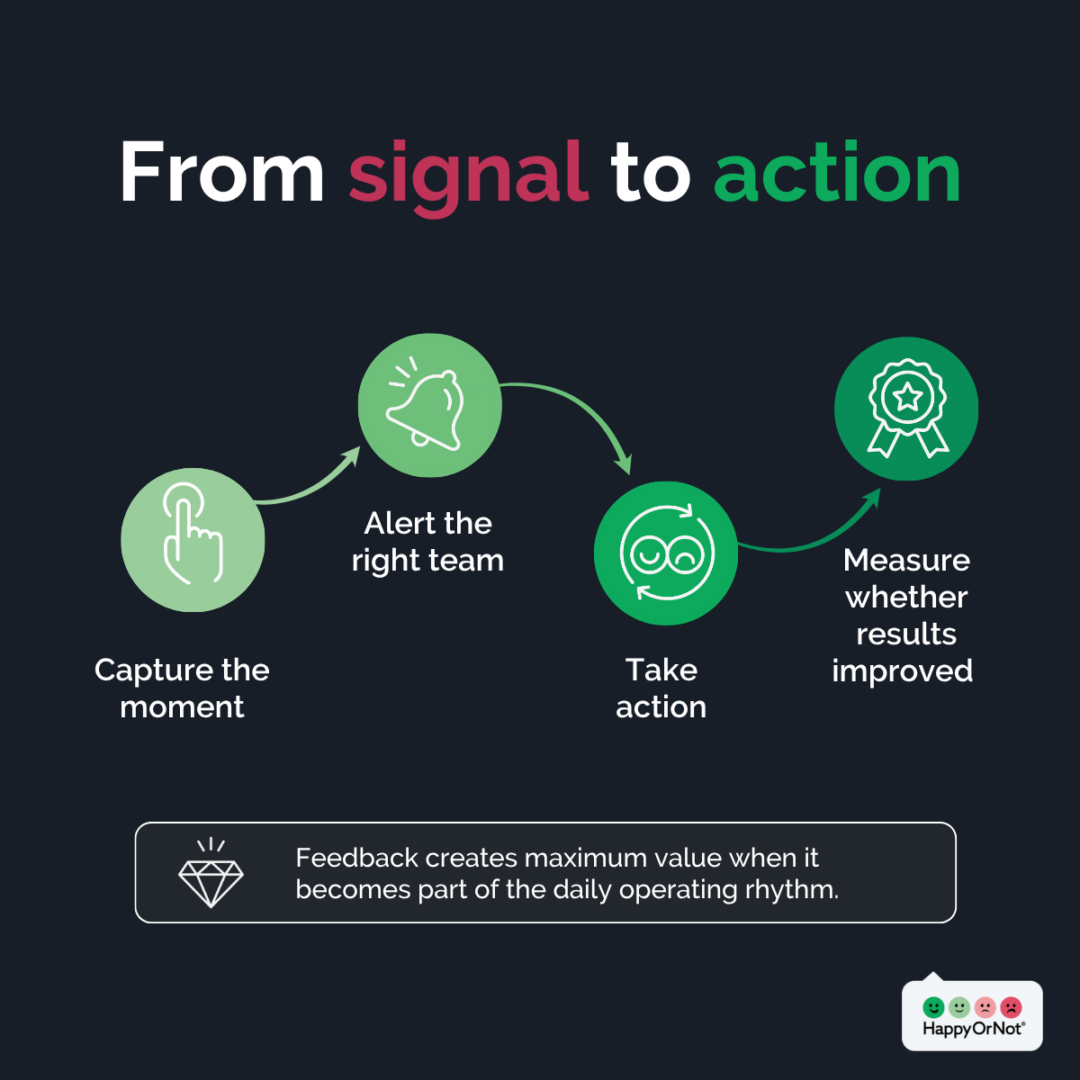
The strength is not only the feedback moment. It is the full operating loop: capture the signal, understand the pattern, route the insight, act quickly, track the impact, and share the results.
For more detail, explore HappyOrNot’s real-time feedback solution.
Where HappyOrNot stands apart
Many buyers first recognize HappyOrNot from the Smiley devices. But HappyOrNot is not just a basic feedback kiosk solution. It is built for the full journey from capture to insight to action.
1. Feedback capture across every touchpoint
HappyOrNot supports omnichannel customer feedback across physical, digital, and hybrid journeys through Smiley Terminal, Smiley Touch, Smiley Sign, and Smiley Digital. This broad collection fabric helps teams capture feedback where the experience actually happens, from high-traffic physical points to QR, NFC, online, and mobile journeys.
HappyOrNot’s article on real-time, contextual micro-feedback goes deeper into how physical and digital feedback moments can work together across the customer journey.
2. Higher engagement for a stronger operational signal
HappyOrNot is designed to reduce friction for the person giving feedback. A feedback interaction can start with a simple main question, then optionally continue into a short follow-up question and open-text comment.
In some customer environments, HappyOrNot has generated up to 10 times higher feedback volume compared with traditional survey methods, helping teams see patterns by location, time, and touchpoint that lower-volume surveys may miss.
3. Sector benchmarking to know where you stand
A basic feedback kiosk can show how one location is performing. A mature feedback system helps teams compare performance across locations, regions, touchpoints, sectors, and time.
With over 2 billion feedback responses collected and 15+ years of market expertise, HappyOrNot Analytics has helped teams turn feedback into trends, comparisons, alerts, demographic analysis, and action priorities so leaders can see what “good” looks like, where support is needed, and how performance compares across sites, regions, and similar peer groups.
4. AI-powered insight to accelerate action
Scores can show that something changed; however open feedback can help explain why. Our Open Feedback AI helps categorize comments, summarize recurring themes, and identify patterns faster so teams can move from reading individual comments to understanding common drivers.
5. Integrations and workflows that connect with your business systems
Feedback creates more value when it flows into the systems and routines teams already use.
HappyOrNot offers integrations and APIs, including Zapier integration, so teams can connect feedback data to BI tools, operational reporting, communication platforms, and workflow processes. This helps feedback reach the right people faster, enabling quicker response, better follow-up, and more effective post-feedback actions.
6. Post-feedback engagement that drives reviews, recovery, and revenue
The feedback moment can also become an opportunity to continue the customer interaction.
With Promo Screen, positive feedback givers can be redirected to actions such as leaving a Google review, joining a loyalty program, engaging with a campaign, playing a branded game, or receiving a promotional offer. Negative feedback givers can be guided to a contact form, support page, complaint route, or more detailed follow-up survey.
7. Program support to embed feedback into daily routines
The strongest customer feedback programs are not only about collecting data. They are about embedding feedback into daily routines.
HappyOrNot supports organizations with onboarding, training, and support, technical support, customer success, and managed service options to help teams design, launch, interpret, and optimize the program.
8. Continuous innovation for future feedback needs
HappyOrNot has been focused on real-time feedback since 2009 and continues to invest in analytics, AI, integrations, and new ways to help organizations turn feedback into action.
That matters for buyers who need a partner that can support future use cases as expectations, channels, and operational needs evolve.
Limitations
HappyOrNot may not be the right fit for every feedback use case.
A different approach may fit better if:
- You only need a one-time customer study.
- You need long-form research with complex segmentation.
- You need a full enterprise CX management platform as your system of record.
- You only need a basic feedback kiosk with no broader analytics, integrations or action layer.
- You are not ready to create ownership, routines, or follow-through around feedback.
Feedback only creates value when someone acts on it. If no team owns the signal, even the best tool can become another unused dashboard.
Key question to resolve: Do we need more feedback, or do we need a faster way to turn feedback into operational action?
Customer feedback tools compared: quick summary
Traditional surveys are best for deeper research. CX and VoC platforms are best for enterprise governance. Basic feedback kiosks are best for simple local pulses. The status quo is only viable when missed signals carry low cost. HappyOrNot is best when teams need real-time operational feedback they can use across locations, shifts, and touchpoints.
What ROI from real-time microfeedback and HappyOrNot looks like
Feedback does not create ROI by itself – action creates ROI.
That is why real-time feedback for frontline action can pay back faster than slower feedback programs. The signal reaches teams while they can still change something: staffing, cleaning, queue management, menu planning, service recovery, communication, training, or resource allocation.
The return usually shows up in two ways:
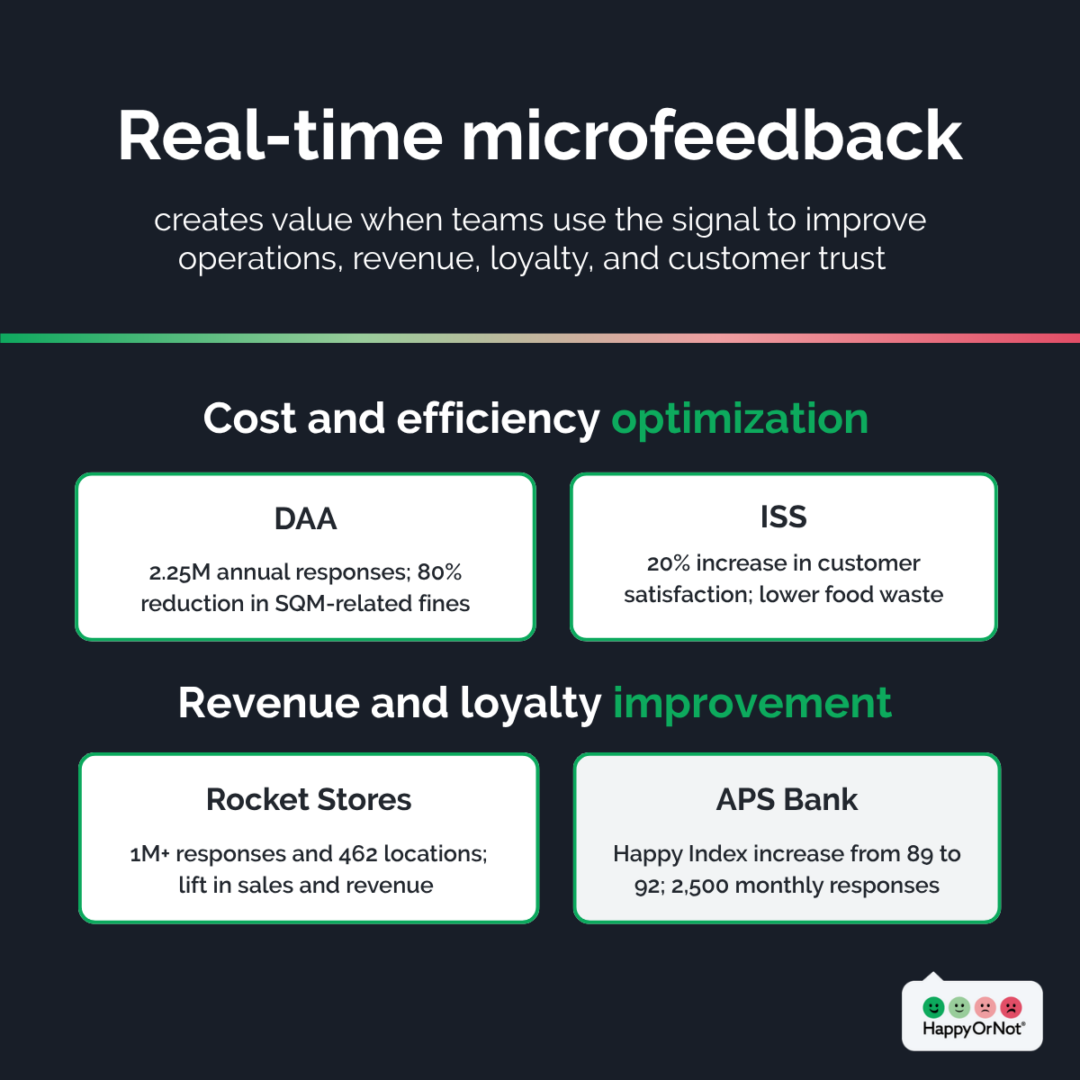
1. Cost and efficiency optimization
Real-time feedback helps teams detect operational waste earlier, including poorly matched staffing, missed cleaning demand, avoidable complaints, preventable escalation, or waste caused by poor-performing products and processes.
Proof points:
DAA: reduced penalties and improved passenger experience
Dublin and Cork Airports collected around 2.25M passenger responses annually with HappyOrNot. The real-time feedback insights supported washroom improvements, operational resource planning, and an 80% reduction in SQM-related fines.
ISS: higher satisfaction and lower waste
Food service teams used HappyOrNot’s feedback system to guide menu choices, improve service routines, and reduce waste from poor-performing dishes or suppliers. ISS achieved a 20% increase in customer satisfaction in the first six months.
2. Revenue and loyalty improvement
Better experiences can support higher conversion, larger basket size, repeat visits, stronger loyalty, and better retention, especially where service quality directly affects customer behavior.
Proof points:
Rocket Stores: satisfaction linked to sales and revenue
Rocket collected over 1M feedback responses across 462 locations by using HappyOrNot to track service performance, improve operations, and validate action. Locations with a Happy Index above 90 saw measurable lift in total sales and revenue.
APS Bank: stronger satisfaction, trust, and branch-level consistency
APS Bank increased its Happy Index from 89 to 92, collects around 2,500 feedback responses per month, and uses real-time feedback across all 12 branches. The bank also displays results on in-branch screens to show customers their feedback is heard and acted on, helping build trust, loyalty, and continued engagement.
The pattern is consistent: higher response volume improves signal quality, real-time visibility helps teams act sooner, and location-level insight helps leaders connect experience improvements to operational outcomes.
Buyer checklist: questions to ask before choosing
Use this checklist to choose the right customer feedback solution for your environment. These questions can help you compare tools, pressure-test vendors, and decide which approach is most likely to turn feedback into action.
1. Start with the job to be done
Before comparing tools, get clear on what you need feedback to achieve. Ask these questions:
- Do we need deeper research, faster operational action, or both?
- Are we trying to measure long-term sentiment or fix live service issues?
- Do we need feedback from known customers only, or from anyone who experiences the service?
- How quickly does feedback need to reach the team that can act on it, and what decisions should it support?
- How will we measure if the solution is working?
2. Match the tool to your operating environment
The best-fit solution depends on how your business runs day to day. Ask these questions:
- Do we need detailed feedback, high-volume feedback, real-time feedback, or a mix?
- Do we need feedback from physical, digital, or hybrid journeys?
- Are we capturing feedback across multiple locations, shifts, regions, or touchpoints?
- Do we need to hear from anonymous visitors, non-buyers, or people outside our customer database?
- Will frontline teams use the data, or is it mainly for CX, insights, or leadership reporting?
- Do teams need to act the same day, or is monthly or quarterly analysis enough?
3. Pressure-test the vendor
A feedback tool is only as strong as the vendor behind it. Ask these questions:
- How long has the vendor operated in the feedback market?
- Does the vendor have proven experience in your industry or operating environment?
- Can they support multi-location deployment?
- What support, onboarding, training, customer success, or managed services are included?
- What product innovation has the vendor delivered recently, and what is on the roadmap?
- Does the vendor have enough data scale to support meaningful benchmarking and AI?
- Can the vendor support both current needs and future use cases?
4. Pressure-test data security and privacy
Customer feedback data still needs to be handled carefully, even when feedback is anonymous. Ask these questions:
- How is feedback data transmitted, stored, retained, and deleted?
- Does the solution rely on your internal network?
- What controls protect confidentiality, data integrity, and availability?
- How does the vendor handle personally identifiable information?
- Can your IT and security teams review the solution before rollout?
5. Pressure-test integrations
Feedback becomes more valuable when it connects to the systems and workflows your teams already use. Ask these questions:
- Can feedback data be accessed through an API?
- Can alerts or feedback be routed into tools like Slack, Teams, Salesforce, or other workflow platforms?
- Can data connect to BI or reporting systems?
- Can feedback be linked with operational data such as sales, staffing, footfall, scheduling, or service-level performance?
- Can post-feedback engagement flows support offers, review prompts, complaint routing, loyalty sign-ups, or gamification?
6. Pressure-test adoption
Even the best feedback solution will fail if no one owns it. Ask these questions:
- Who will look at the data, and how often?
- What decisions will it support?
- What happens if scores drop?
- How will teams close the loop with customers?
- How will leaders know if actions worked?
- How will frontline teams be trained and supported?
- How will the program stay active after launch?
A customer feedback platform is only valuable if it becomes part of how the business runs. The right solution should make feedback easier to capture, easier to understand, and easier to act on.
Conclusion: choose the tool that turns signals into action
The best customer feedback tool is not the one with the most features, longest surveys, or biggest dashboards. It is the one that fits the job you need feedback to do.
Digital surveys can support deeper research. CX and VoC platforms can support enterprise governance. Basic kiosks can provide a simple local pulse. But if you need faster operational action across real locations, teams, and touchpoints, HappyOrNot is built for that job.
It captures feedback while the experience is still fresh, shows what is happening by time and place, and helps teams act before small issues become bigger problems.
Because the goal is not more feedback. The goal is faster operational action.
Book a free 30-minute feedback diagnostic to explore where real-time microfeedback could create the most value across your locations — no strings attached.